The Best Knowledge Management Software for Enhanced Team Collaboration
Knowledge is only useful when people can find it, share it, and build on it together. But in most organizations, information lives in too many places—docs, chats, emails, or someone’s memory. That’s why teams turn to knowledge management software.
A good platform doesn’t just store information; it makes knowledge easy to capture, organize, and access when it’s needed most. It helps teams work together without repeating the same mistakes or hunting for answers that already exist.
Knowledge management software eliminates inefficiencies by creating a singular source of truth for all information. An intuitive search functionality in KM software helps employees find relevant information quickly using semantic indexing and NLP.
In this guide, we’ll look at how knowledge management tools solve those everyday challenges, what features actually make a difference, and which platforms stand out for teams that want to collaborate smarter and support customers better.
Benefits of Knowledge Management
Implementing a robust knowledge management system offers numerous benefits. For one, it can lead to improved customer satisfaction by equipping support teams with the information they need to resolve inquiries quickly and accurately.
Additionally, knowledge management tools help organizations increase productivity by reducing duplicated efforts and minimizing the time employees spend searching for information.
The main benefits of KM software include improved efficiency and productivity, better collaboration, enhanced decision-making, and increased innovation. KM tools significantly enhance decision-making by providing access to documented best practices.
Furthermore, these tools enhance employee onboarding by providing a centralized hub for learning, ensuring new hires can quickly access the resources they need to succeed. AI further enhances the efficiency of employee onboarding by providing instant access to necessary resources, streamlining the process for both new hires and HR teams.
A centralized knowledge management platform ensures that an organization’s collective knowledge is kept current and easily accessible, which fosters better decision-making and collaboration.
This is especially important for customer support teams who rely on a searchable knowledge base and internal documentation to provide timely self-service support and resolve support tickets effectively.
Self-service capabilities in KM software allow for customer-facing help centers, improving customer experience and reducing support volume. Customer-facing knowledge bases empower users to troubleshoot independently and find information.
Additionally, KM software must be scalable to grow with business demands without compromising performance, ensuring it remains effective as the organization expands.
Types of Knowledge Management Tools
There is a wide variety of knowledge management tools available, each designed to serve specific organizational needs.
Document management systems focus on storing and organizing documents, while content management systems handle the creation and publication of digital content. Project management tools facilitate task management and collaboration on project tasks.
Document management systems (DMS) store and organize various file types but are not explicitly designed for knowledge data.
Other popular types of knowledge management tools include knowledge base software and internal wikis, which provide centralized repositories for internal knowledge and standard operating procedures.
Increasingly, AI-powered knowledge management platforms are gaining traction due to their ability to automate routine tasks, offer advanced analytics, and enhance knowledge discovery through machine learning.
Open-source knowledge bases are publicly accessible and highly customizable, while proprietary knowledge bases are paid, closed-source platforms that offer dedicated support.
Community forums are another valuable feature, allowing users to share best practices and troubleshoot issues collaboratively, fostering a culture of shared learning and problem-solving.
Key Features of Knowledge Management Tools
When selecting knowledge management software, it is important to consider essential features that enhance usability and security.
Search functionality is paramount, enabling users to quickly locate relevant information within a searchable knowledge base or external knowledge bases. Powerful search functionality in KM software utilizes AI, natural language processing, and typo tolerance to quickly find information.
Collaboration tools help internal teams share knowledge and work together seamlessly. Additionally, process documentation tools create visual workflows and standard operating procedures to share knowledge effectively across teams. KM software should also be scalable to accommodate growing user and data volumes without performance degradation, ensuring it can meet the needs of expanding organizations.
Integration capabilities are also critical, allowing the knowledge management system to connect with existing tools such as customer relationship management (CRM) software, project management platforms, and document management systems.
Advanced security features like access controls and the ability to restrict access to sensitive information ensure that only authorized personnel can view or edit certain content. Version control helps maintain accurate and up-to-date information by tracking changes over time.
Some knowledge management tools also incorporate built-in AI features such as AI-powered search, workflow automation, and machine learning to further boost productivity and streamline internal processes.
Top 5 Knowledge Management Tools
Several knowledge management platforms stand out for their comprehensive features and user-friendly interfaces. Below are five of the best tools available:
#1: InstantDocs - Best Knowledge Management Software Overall
InstantDocs is an AI-powered knowledge base platform designed to help teams create, maintain, and update help documentation automatically.
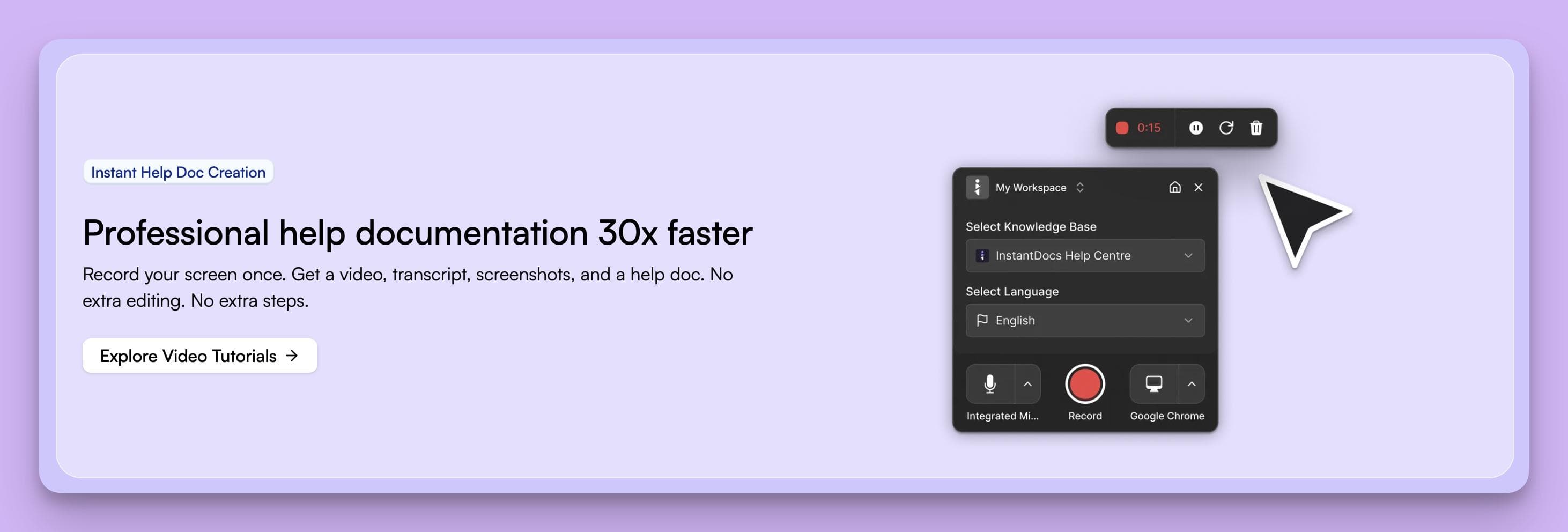
It solves common pain points of traditional documentation like manual writing, outdated content, and lost insights from support tickets, by combining video automation, AI generation, and real-time knowledge tracking.
Core Features
1. AI Recorder
A Chrome extension that records any product walkthrough and instantly turns it into a full help doc. It:
- Extracts screenshots from the recording.
- Writes and enhances transcripts into step-by-step guides.
- Adds studio-quality AI voiceovers synced with the video.
- Delivers professional, ready-to-publish tutorials in minutes.
2. Built-in Video Editor
After AI generation, users can fine-tune their videos:
- Edit scripts and fix timing.
- Replace intros/outros and change backgrounds.
- Add on-screen elements for branding and clarity.
This makes it perfect for creating visual, engaging documentation.
3. Notion-like Editor & Customizable Knowledge Base
Docs are easily editable with a modern, block-based interface. Teams can:
- Organize content into collections and sections.
- Design a branded, public-facing knowledge base landing page.
- Create rich, searchable help centers that look and feel modern.
4. Knowledge Gap
InstantDocs uses AI to scan support tickets and detect missing or outdated documentation:
- Missing Gaps: Suggests new docs for repeated customer queries.
- Outdated Gaps: Flags articles that no longer reflect product updates.
It even links related support tickets and lets users auto-generate new or updated docs — simply review, tweak, and publish.
5. Integrations
InstantDocs connects seamlessly with existing tools:
- Imports content from Zendesk, Intercom, Confluence, Notion, Crisp, and Google Docs.
- Uses OAuth or API connections for easy sync with customer-support systems.
Pricing
- Free plan: For early teams and startups; costs $0 per month and is free forever.
- Pro plan (Launch Special): For growing teams; launch pricing of $79 per month when billed annually (regularly $119/month).
- Enterprise plan: Tailored for scale and security needs; pricing available on request.
Pros
- Rapid content creation: InstantDocs can turn a simple screen recording or support ticket into a polished video and step-by-step guide, allowing support teams to produce high-quality docs in minutes.
- Automated updates & gap detection: The platform scans incoming support tickets to identify missing or outdated documentation and auto-generates updates, keeping the knowledge base current.
- Full customization & branding: Articles, videos and guides are formatted cleanly and consistently; they can be branded and hosted on your own domain for a professional look.
- AI-powered search & analytics: Customers can search naturally or ask AI-powered questions; analytics highlight which articles save support time.
- Seamless integrations:onnects with tools like Zendesk, Intercom, Confluence, Notion, Crisp and Google Docs to import content and sync support systems.
Cons
- Because the tool is browser-based (as a Chrome extension) it may not support capturing and documenting non-web/native app workflows as fully as web workflows.
- The article view lacks deep analytics
Why It Stands Out
InstantDocs redefines documentation with automation-first AI—blending video, text, and real customer insights. It eliminates manual writing, keeps content up-to-date, and bridges the gap between support teams and knowledge bases.
Best for: SaaS companies, customer support teams, and fast-scaling organizations that want to centralize knowledge while reducing manual effort.
#2: Confluence
Confluence by Atlassian is one of the most popular knowledge management platforms used by teams to collaborate, document, and organize organizational knowledge in a single space.
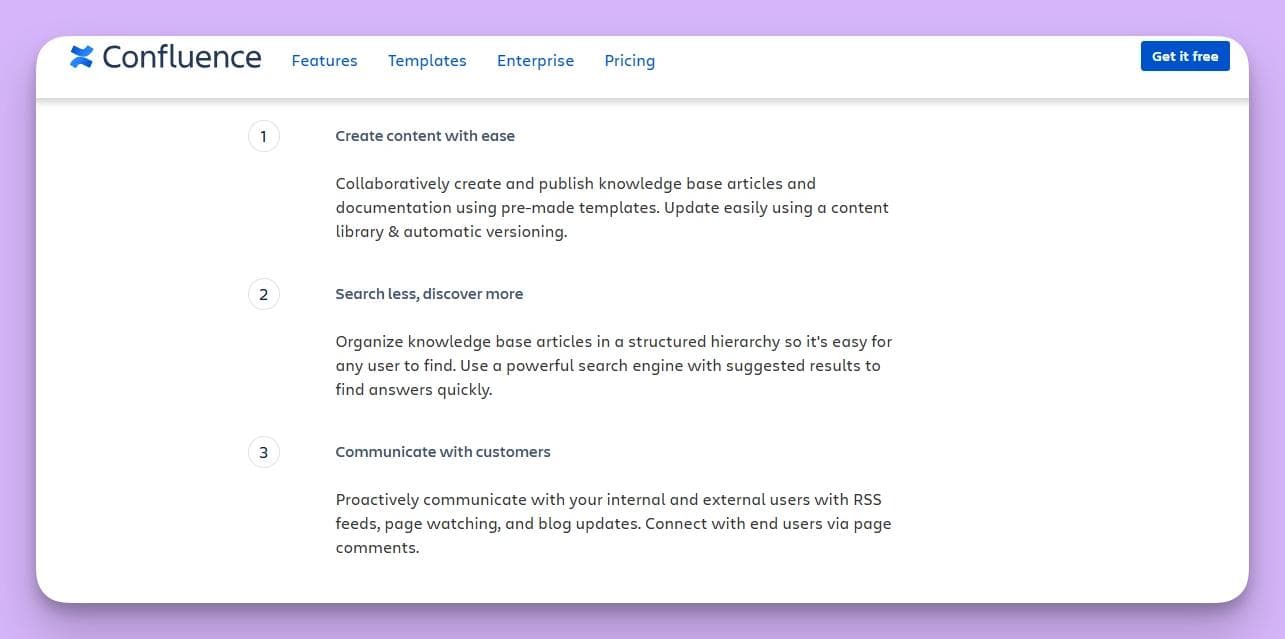
It serves as both an internal wiki and a documentation hub, helping teams centralize content, share updates, and maintain version control.
Key Features
- Page and Space Organization: Users can create pages for projects, documentation, meeting notes, and SOPs, all organized into workspaces (“spaces”) for different teams or departments.
- Real-Time Collaboration: Team members can co-edit pages, leave inline comments, tag colleagues, and attach files to streamline discussions and reviews.
- Templates and Macros: Comes with dozens of templates for project plans, product requirements, and retrospectives. Macros enable dynamic content like tables, task lists, and integrations.
- Integration with Atlassian Suite: Natively connects with Jira, Trello, and Bitbucket, allowing users to link documentation with project tasks or code updates.
- Advanced Search and Permissions: Offers powerful search functionality and granular permissions to control who can view, edit, or comment on content.
- Version Control and Page History: Keeps a detailed revision history of every page, so teams can easily restore or compare older versions.
- Mobile Access: The Confluence mobile app enables users to access and edit documents on the go.
Pricing
Confluence offers both cloud-based and data center (self-hosted) options:
- Free Plan: For up to 10 users, includes unlimited spaces and pages with basic features.
- Standard Plan: $6.05 per user/month – adds admin controls, page insights, and user management tools.
- Premium Plan: $11.55 per user/month – includes advanced analytics, automation, external collaboration, and IP allowlisting.
- Enterprise Plan: Custom pricing for organizations requiring scalable deployment, dedicated support, and compliance tools.
Pros
- Robust collaboration and version control tools ideal for cross-functional teams.
- Deep integration with Atlassian products like Jira, Trello, and Bitbucket.
- Highly customizable with templates, macros, and third-party marketplace apps.
- Cloud and on-premises deployment options provide flexibility for different IT setups.
Cons
- The interface and navigation can feel complex for first-time users.
- Advanced customization and plugin management may require admin expertise.
- Storage limits on lower-tier plans.
- Performance can slow down with large volumes of content or multiple integrations.
Who It’s For
Confluence is best suited for software development, IT, and operations teams already using Atlassian products. It’s ideal for organizations seeking a structured, collaborative knowledge management system that integrates with their existing project management workflows.
#3: Jira
Primarily a project management tool, Jira also offers knowledge management capabilities through its integration with Confluence and other add-ons.
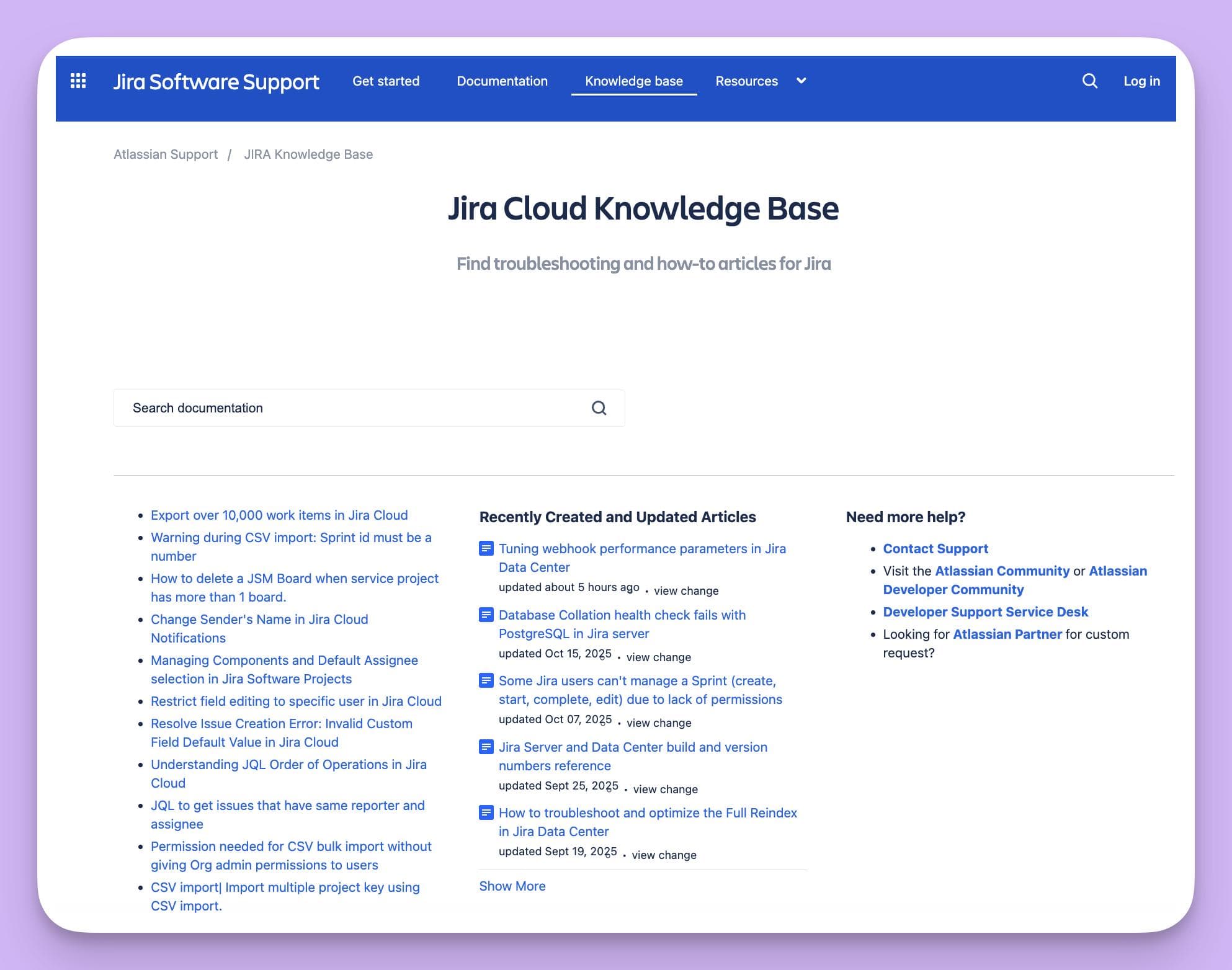
It excels in task management and tracking custom metrics related to projects and support tickets.
Features
Jira excels in agile project management and issue tracking while integrating seamlessly with knowledge management platforms like Confluence.
Core features include customizable workflows, real-time dashboards, Kanban and Scrum boards, automation rules, and reporting tools.
Through integration with Confluence or third-party apps, Jira enables teams to document resolutions, link issues to knowledge base articles, and streamline project-to-documentation workflows.
Pricing:
Jira offers flexible cloud and data center pricing.
- Free Plan: For up to 10 users with basic project management features.
- Standard Plan: $8.15 per user/month, adds user permissions, audit logs, and expanded storage.
- Premium Plan: $16 per user/month, includes advanced roadmaps, automation across projects, and guaranteed uptime SLA.
- Enterprise Plan: Custom pricing with centralized administration, enterprise-grade security, and scalable hosting.
Pros:
- Highly customizable for different team workflows.
- Excellent integration with Atlassian products (Confluence, Bitbucket, Trello).
- Powerful automation and reporting for agile project tracking.
- Supports complex project dependencies, sprints, and custom issue types.
Cons:
- Can be overwhelming for non-technical users.
- Documentation and setup require time and administrative oversight.
- Advanced analytics and reporting often require paid add-ons or integration with Confluence.
Who it’s for:
Ideal for software development, IT, and support teams that require robust project tracking, agile methodologies, and seamless linkage between issue management and documentation.
It’s best suited for medium to large organizations using Atlassian’s ecosystem for collaboration and knowledge management.
#4: Bloomfire
Bloomfire is a cloud-based knowledge management platform designed to make it easy for organizations to create, share, and discover information.

It focuses on breaking down silos by encouraging team members to contribute and engage with shared knowledge through social learning features, AI-powered search, and detailed analytics.
Key Features
1. AI-Powered Search:
Bloomfire’s intelligent search uses natural language processing (NLP) to surface the most relevant results instantly. It indexes every word in documents, slide decks, images, and even videos—making all file types searchable.
2. Centralized Knowledge Hub:
All content; FAQs, best practices, training resources, and company updates; is stored in one place. This eliminates fragmented communication and ensures everyone can access the latest information.
3. Advanced Analytics:
Bloomfire tracks how content is being used through engagement reports and performance dashboards. Managers can see which resources are most popular, who is contributing, and identify knowledge gaps that need filling.
4. Content Creation & Curation Tools:
Users can create posts, attach files, embed media, or record screencasts directly within the platform. Administrators can tag content, organize it by category, and set access permissions.
5. Collaboration & Social Features:
Team members can comment, ask questions, and tag others to keep discussions transparent and accessible. A built-in Q&A module allows employees to crowdsource answers from subject-matter experts.
6. Integrations:
Bloomfire integrates with tools such as Salesforce, Slack, Zendesk, SharePoint, and Google Drive. These integrations help teams connect knowledge management to their daily workflows without switching contexts.
7. Security & Compliance:
The platform offers enterprise-grade security, including SOC 2 Type II compliance, SSO, role-based access control, and data encryption in transit and at rest.
Pricing
Bloomfire doesn’t publish fixed pricing, as costs depend on organization size and use case.
Pros
- Excellent Search Functionality: AI-driven indexing ensures even text within videos and documents is searchable.
- Highly Engaging Interface: Feels like a social network, encouraging collaboration and knowledge sharing.
- Comprehensive Analytics: Robust insights into usage patterns and content performance.
- Customizable Permissions: Easy control over who can create, view, or edit content.
- Strong Integrations: Works well with major CRM and collaboration tools.
Cons
- Higher Cost: Pricing may be prohibitive for startups or smaller teams.
- Learning Curve: While user-friendly overall, customization and taxonomy setup require initial configuration.
- Limited Offline Access: Primarily designed for cloud use; not ideal for teams needing offline functionality.
- Occasional Search Lag: Some users report slower search speeds with extremely large content libraries.
Best for:
Bloomfire is ideal for customer support, sales enablement, and service teams that rely heavily on fast access to institutional knowledge.
It suits organizations aiming to build a culture of collaboration and continuous learning through AI-driven insights and easy content discovery.
#5: Document360
Document360 is a robust knowledge base platform designed to help businesses build both internal and external knowledge bases with ease.
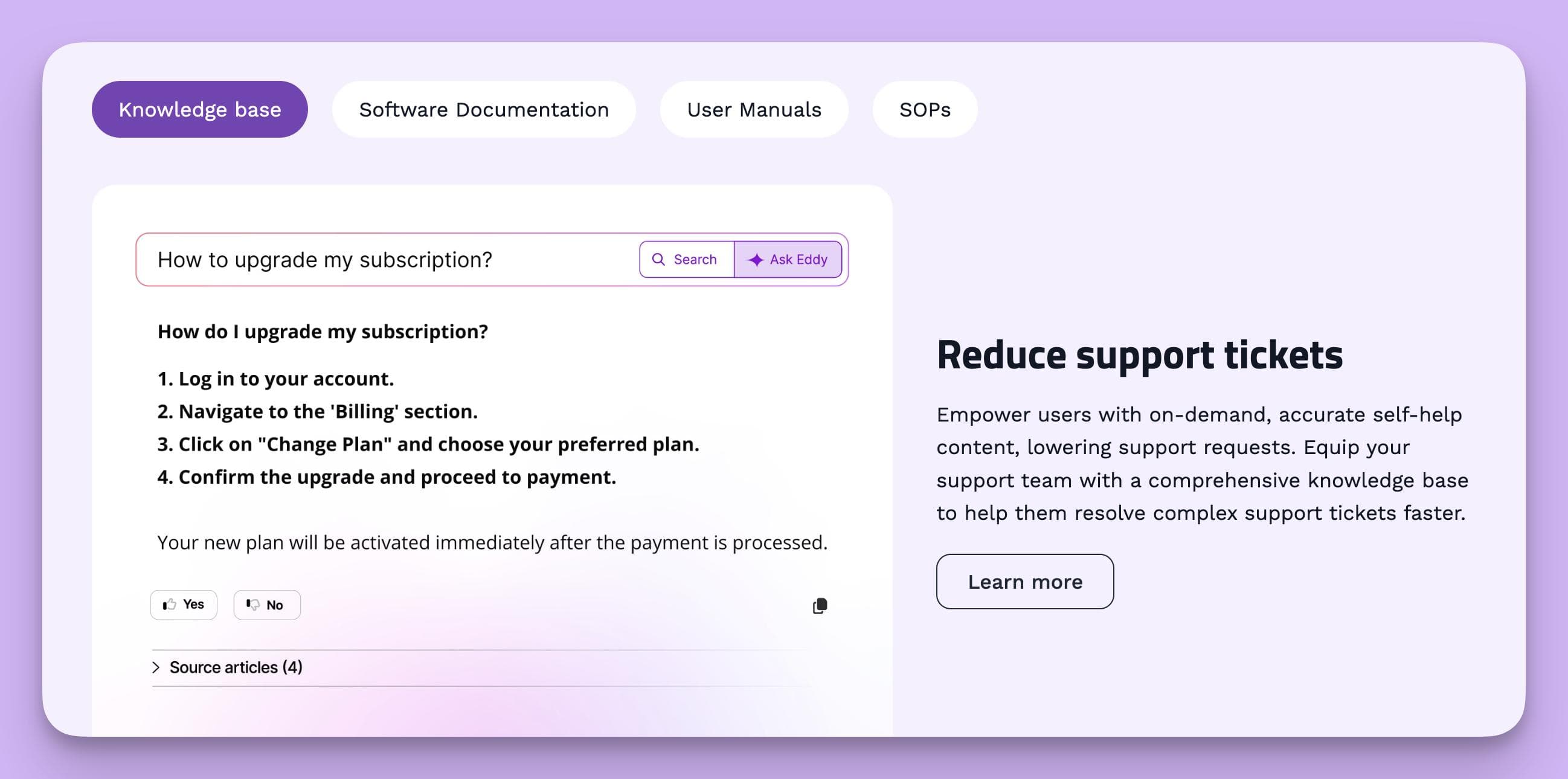
It’s known for its intuitive interface, strong documentation capabilities, and powerful collaboration tools—making it a popular choice for support, product, and technical documentation teams.
Key Features
- Markdown and WYSIWYG Editors
Document360 offers both Markdown and WYSIWYG editors, allowing writers to create rich, structured documentation quickly. This flexibility suits both technical writers and non-technical users. - Category Manager
Organize your knowledge base into a clear hierarchy with categories and subcategories. You can easily reorder, rename, or move sections without affecting URLs. - Version Control and Rollback
Every article change is tracked, enabling teams to revert to previous versions or compare revisions—ideal for maintaining accuracy over time. - Access Control and Security
Role-based permissions let you restrict access to specific workspaces, categories, or articles. You can create both public and private knowledge bases with user authentication. - Advanced Search
The AI-powered search bar offers auto-suggestions, filters, and keyword highlighting to help users find content quickly. - Integrations
Document360 integrates with tools like Zendesk, Intercom, Freshdesk, Microsoft Teams, Slack, and analytics tools like Google Analytics. You can also embed widgets in your SaaS app or website for in-context help. - Analytics Dashboard
Offers detailed insights into content performance, most viewed articles, search terms, and failed searches—helping you identify knowledge gaps and optimize your content. - Collaboration Features
Includes article commenting, drafts, and workflow approvals to streamline editing and publishing among multiple contributors. - Customization and Branding
Teams can fully brand their knowledge base with custom domains, themes, CSS, and logos for a professional appearance. - Backup and Audit Logs
Built-in backup features and audit trails ensure data security and compliance—especially valuable for enterprise users.
Pricing
Document360 offers several plans tailored to different team sizes and needs (pricing as of 2025):
- Startup – $149/month (billed annually)
- Up to 2 team accounts
- Custom domain, basic branding, and analytics
- Ideal for small startups or early-stage SaaS companies
- Business – $299/month (billed annually)
- Up to 5 team accounts
- Version control, advanced analytics, private knowledge base
- Integrations with Intercom, Zendesk, and Slack
- Enterprise – $499/month (billed annually)
- Unlimited readers and advanced security features
- Role-based permissions, backups, API access
- SSO, SLA, and dedicated account management
- Enterprise Plus – Custom pricing
- Tailored for large enterprises with custom integrations, dedicated infrastructure, and white-labeling options
Pros
- Intuitive interface that’s easy to learn, even for non-technical users
- Robust version control and rollback capabilities
- Powerful integrations with popular helpdesk and CRM tools
- Excellent analytics to track engagement and search trends
- Enterprise-grade security and access management
- Scalable—works well for startups and large teams alike
Cons
- No built-in project management or ticketing features (relies on integrations)
- Limited customization on lower-tier plans
- Higher cost compared to simpler alternatives
- Offline editing not supported—cloud-based only
- Occasional learning curve when setting up advanced features like roles and API integrations
Who It’s For
Document360 is best suited for:
- SaaS companies managing large documentation libraries
- Customer support and success teams building help centers
- Product and engineering teams maintaining internal wikis
- Enterprises needing strict version control, SSO, and security
It’s an ideal solution for businesses that prioritize structured documentation, scalability, and collaboration without compromising on design or security.
Implementation and Strategy
Successfully implementing a knowledge management system requires a well-thought-out strategy and ongoing training.
Organizations must first identify the types of knowledge they want to manage—whether it be internal processes, training materials, or customer data—and choose the right knowledge management tool that aligns with their goals.
Slow and diligent implementation of knowledge management tools results in higher user adoption rates. Engaging stakeholders early in the implementation process helps ensure support for knowledge management initiatives. An effective onboarding process using knowledge management tools can boost new hire retention significantly.
Integration with existing tools such as CRM, project management, and document management systems is crucial to ensure seamless adoption. Additionally, ongoing training and support are essential to help users become proficient with the system and maximize its benefits.
Overcoming Challenges with Knowledge Management Software
One of the biggest challenges in deploying knowledge management software is user adoption. To overcome this, organizations should provide continuous learning opportunities and encourage knowledge sharing among internal teams.
Ensuring the knowledge base remains up to date and relevant is another critical factor; regular reviews and updates help maintain accurate information and prevent knowledge silos.
By addressing these challenges proactively, companies can foster a culture of collaboration and continuous improvement.
AI-Powered Knowledge Management
AI-powered knowledge management tools are revolutionizing how organizations handle their collective knowledge. These platforms automate routine tasks, provide personalized content recommendations, and enhance search functionality through AI-powered enterprise search and natural language processing.
AI technology in knowledge management platforms often leads to a more productive workforce by streamlining access to information, ensuring employees can focus on higher-value tasks.
Machine learning and predictive analytics enable these tools to analyze support tickets and customer interactions, helping organizations identify knowledge gaps and improve customer satisfaction.
AI-powered platforms also offer workflow automation, reducing manual effort and boosting productivity across customer support teams and service teams.
Internal Knowledge Base and Wikis
An internal knowledge base serves as a centralized repository of an organization’s collective knowledge, accessible to employees across departments.
Internal wikis complement this by allowing teams to collaboratively create and maintain content such as standard operating procedures, technical documentation, and how-to guides.
These tools help reduce knowledge silos, improve collaboration, and ensure that essential information is available for self-service support and ongoing training.
By maintaining a searchable knowledge base, companies empower internal teams to find relevant information quickly, enhancing overall operational efficiency.
Customer Relationship Management Integration
Integrating knowledge management systems with customer relationship management (CRM) software significantly enhances customer support capabilities.
This integration provides support teams with immediate access to customer data and relevant information, enabling faster resolution of support tickets and better service delivery.
Moreover, combining knowledge management with CRM allows organizations to track custom metrics, analyze customer interactions, and refine sales and support processes.
Integration with other tools such as project management software further enriches the organization's ability to manage internal knowledge and customer relationships holistically.
Essential Features and Integration Capabilities
When choosing the right knowledge management tool, organizations should prioritize essential features like robust search functionality, collaboration tools, and comprehensive access controls.
The ability to restrict access ensures sensitive information is protected, while version control maintains the integrity of documents and training materials.
Integration capabilities such as API connectivity and single sign-on facilitate seamless connection with existing tools, including document management systems, content management systems, and learning management systems.
This interoperability is key to creating a unified knowledge management ecosystem that supports internal teams and customer support teams alike.
Get Started With InstantDocs
Ready to turn your team’s knowledge into a real competitive advantage?
InstantDocs makes it effortless to capture, organize, and share what your team knows—so information is never lost, duplicated, or outdated.
With its AI-powered documentation, seamless integrations, and real-time updates, InstantDocs empowers your team to work smarter, support customers faster, and scale effortlessly.


Instantly build support docs that delight.
Book a demo