How to Create Effective Customer Onboarding Documentation: A Step-by-Step Guide
A great product is only half the battle.
The moment a new customer signs up, a critical clock starts ticking.
Your goal is to guide them to their "Aha!" moment—the point where they experience the core value of your product—as quickly and smoothly as possible.
This is the essence of customer onboarding.
However, documentation is at the heart of a scalable and effective onboarding strategy.
Without it, your support and success teams will become overwhelmed, customers will get stuck, and churn rates will creep up.
Great documentation empowers users to self-serve, master your product, and achieve their goals independently.
This guide breaks down how to create powerful customer onboarding documentation in four manageable phases, helping you turn new users into loyal advocates.
Key Takeaways
- Design all documentation to guide customers to their "Aha!" moment as quickly as possible, proving value and increasing retention.
- Map the customer journey and deliver information in stages to avoid overwhelming new users.
- Treat your documentation as a living product that requires continuous updates, data analysis, and iteration based on customer feedback.
- Proactively deliver information through in-app guides and automated emails rather than waiting for users to search for help.
- Leverage InstantDocs knowledge management software to automate content creation from screen recordings and proactively find documentation gaps by analyzing support tickets.
Step 1 — Plan & Strategize
Goal: Build a solid foundation for a help center that actively drives customer success.
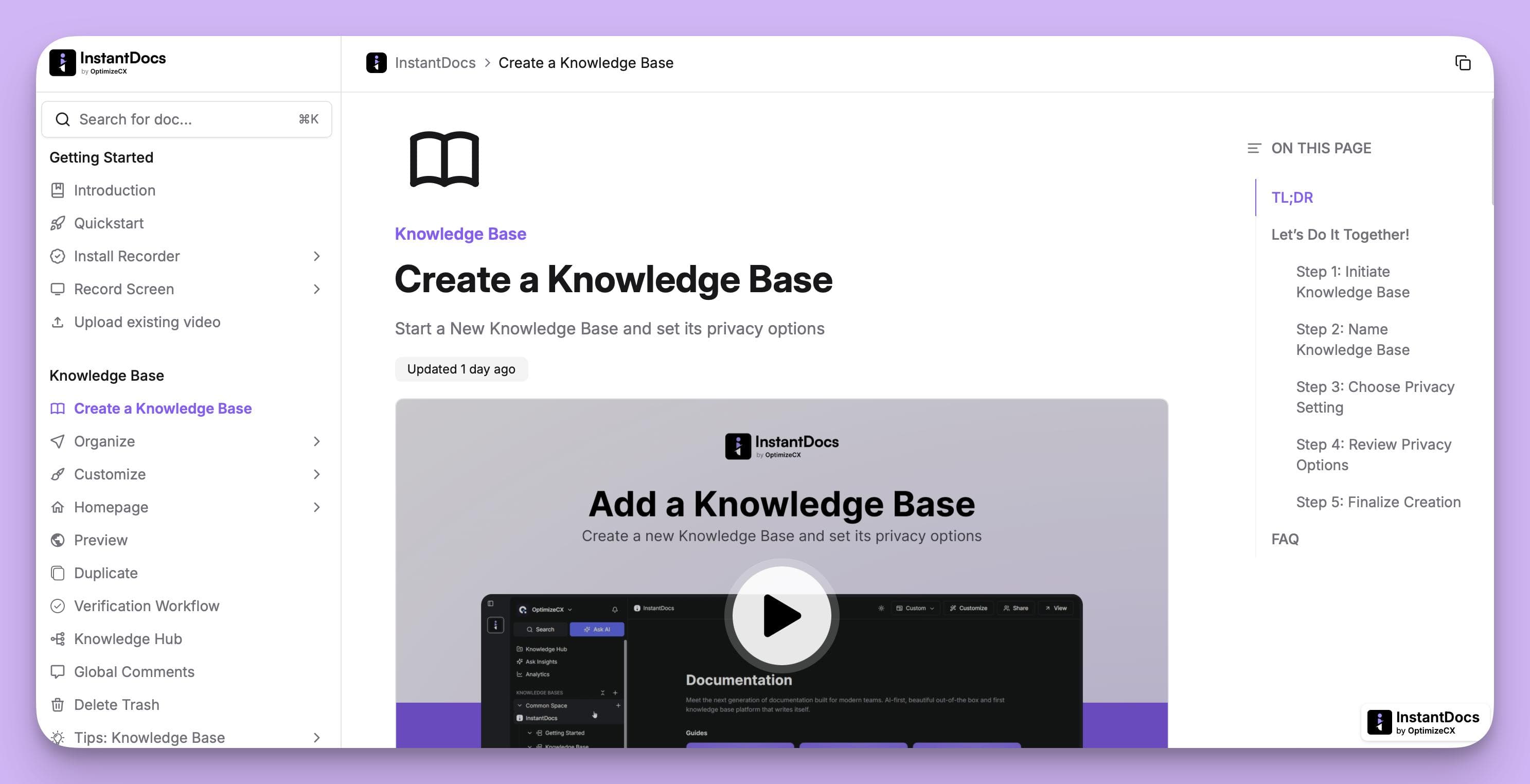
Before writing a single tutorial, you must understand who your customers are and what they need to accomplish.
This strategic phase ensures your content is targeted, relevant, and effective.
Define the Purpose and Audience
First, answer the core questions:
Who is this documentation for?
And what defines their first success?
A small business owner using your product has different needs than an enterprise administrator managing a team of 50.
So you want to segment your audience by user persona, plan type, or job-to-be-done.
Next, define the key activation metric—the "first success" milestone. This is the minimum set of actions a user must take to see real value.
Examples include:
- "Creating their first report"
- "Inviting two team members"
- "Integrating with their primary CRM"
This goal becomes your North Star. Every article, video, and guide you create should directly help a customer reach that milestone.
Map the Onboarding Journey
Onboarding isn't a single event; it's a journey. Map out the user's experience in stages to avoid overwhelming them with too much information at once.
- First Login: Focus on the absolute essentials. A welcome message, a quick UI tour, and a prompt to complete the single most important setup action.
- First 7 Days (Activation): Guide them through core features. Provide tutorials for the key workflows needed to achieve their "first success" milestone.
- First 30 Days (Adoption): Introduce secondary features, best practices, and advanced use cases. Show them how to integrate your product more deeply into their daily work.
This timeline ensures you deliver the right information at the right time, building customer confidence and momentum.
Gather Content and Resources
Catalog all the information a new customer needs. This isn't about company policies, but about product mastery.
Your list should include:
- Getting Started Guides: Step-by-step setup instructions.
- Feature Tutorials: Detailed explanations of what your product does.
- Best Practice Articles: Strategic advice on how to use your product effectively.
- Use Cases & Examples: Inspiration for what they can achieve.
- Troubleshooting & FAQs: Quick answers to common problems.
To find this information, talk to your subject matter experts:
- Your senior support agents
- Customer success managers
- Product managers
They know the common sticking points, the most-asked questions, and the "power user" tips that can transform a customer's experience.
Step 2 — Design & Build
Goal: Turn your plan into a professional, easy-to-navigate help center.
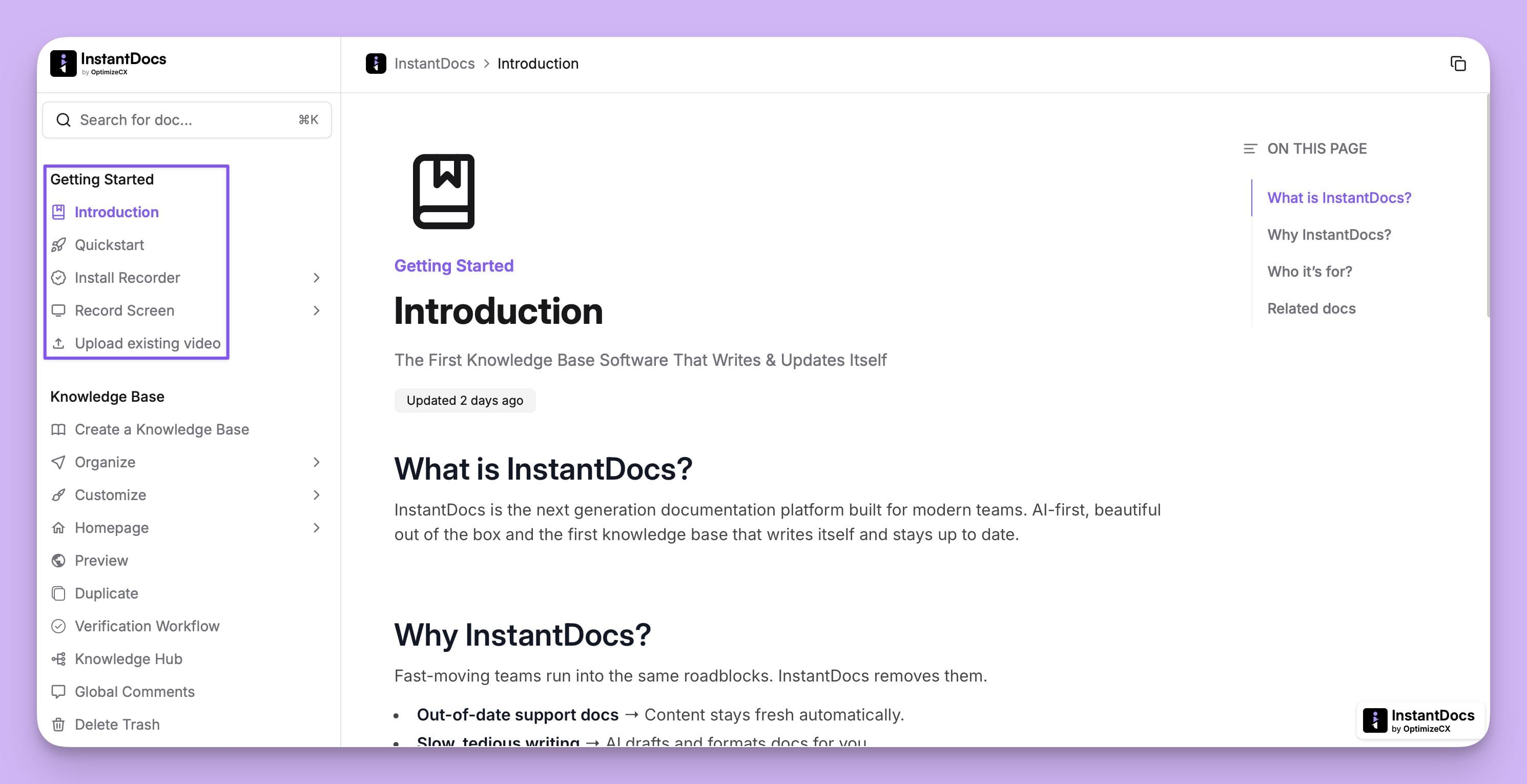
Well-planned content will fail if it's presented in a dense, disorganized format. This phase focuses on creating a user-friendly resource that provides answers fast.
Structure and Organize
Customers want answers, not essays. Your documentation hub—often called a Help Center or Knowledge Base—must be intuitively organized.
Common structures include:
- By Topic: Create categories like "Account & Billing," "Core Features," "Integrations," and "Reporting."
- By User Journey: Structure sections like "Getting Started," "Becoming a Power User," and "For Admins."
Incorporate a prominent search bar, as it will be the primary tool for many users.
Use clear headings, bullet points, and visuals (screenshots, GIFs) to make articles scannable and easy to digest.
Choose the Platform
Your documentation needs a single, public-facing home. It must be fast, searchable, and easy for your team to update.
Which is why a modern knowledge base platform is essential.
Key features to look for are:
- Powerful Search: Users must find what they need instantly.
- Simple Editor: Your team should be able to create and update articles without technical help.
- Customization: The help center should match your brand's look and feel.
- Analytics: You need to know what users are searching for and which articles are performing well.
Write, Design, and Review
Write for a busy customer who wants a quick solution. Use simple, direct language and avoid internal jargon. Focus on actionable steps.
Visuals are critical. A short tutorial video or an annotated screenshot is far more effective than a long block of text. Show, don't just tell.
Before publishing, test your documentation with real new customers.
Watch where they get stuck or what they search for but can't find. Their confusion is your roadmap for improvement.
Step 3 — Implement & Deliver
Goal: Integrate your documentation directly into the customer experience.
A great help center shouldn't be a passive library.
It should be an active part of the onboarding flow, guiding users proactively.
Maintain and Update
Product documentation becomes obsolete quickly as you ship new features and update your UI. Outdated information frustrates customers and erodes trust.
Assign an owner for each article and schedule regular reviews (e.g., quarterly).
A "Last Updated" date on every page is a small but powerful signal to customers that the content is current and reliable.
Automate the Flow
Don't wait for customers to find your documentation; bring it to them.
- In-App Guides: Use tooltips and pop-ups to link directly to relevant articles as users explore your product.
- Triggered Emails: Send automated emails with links to helpful guides based on user behavior (e.g., "We see you just added a team member! Here's how to manage permissions.").
- Onboarding Checklists: Build a checklist in your app that guides users through key setup steps, with each item linking to the corresponding documentation.
Personalize by Role or Use Case
A one-size-fits-all approach is inefficient. Segment your documentation to provide a more relevant experience.
Create different sections or learning paths for different user personas (e.g., "Guide for Marketers," "Guide for Developers," "Getting Started with the Pro Plan," etc.) or plan types (e.g., "Guide for Marketers," "Guide for Developers," etc.).
This shows customers you understand their specific needs and respect their time.
Step 4 — Evaluate & Improve
Goal: Use data and feedback to make your documentation a strategic asset.
Your documentation is a living product. Continuously measure its performance and iterate to make it better.
Measure Effectiveness
Track metrics that tie directly to customer success, not just page views.
- Reduction in Support Tickets: Are you seeing fewer tickets for common, repetitive questions?
- Time to Value (TTV): Are customers reaching their "first success" milestone faster?
- Adoption & Engagement Rates: Are users adopting the key features explained in your guides?
- Failed Searches: What are customers searching for in your help center but not finding? This is a direct indicator of content gaps.
Gather Feedback and Iterate
Actively solicit feedback from your users. Add a simple "Was this article helpful?" widget at the end of each page.
Periodically survey new customers about their onboarding experience.
Listen to your customer success team—they know what questions customers are still asking.
Use this qualitative feedback to constantly refine and improve your content.
Humanize the Experience
Finally, remember that documentation is a key part of your brand's relationship with a customer. Infuse it with personality and warmth.
- Include welcome videos from your founder or head of success.
- Showcase customer success stories and case studies to inspire new users.
- Use a friendly, encouraging tone that makes customers feel supported on their journey.
Streamline Customer Onboarding with InstantDocs AI Knowledge Base Software
Creating and maintaining high-quality customer documentation is a massive undertaking. The process we’ve discussed is critical, but the manual effort can be a significant bottleneck for fast-moving companies.
This is where a modern AI knowledge base software can revolutionize the process.
A platform like InstantDocs automates the most labor-intensive tasks, helping you build a world-class help center that scales with your business.
So what is InstantDocs?
Well, InstantDocs is an AI knowledge base software designed specifically to help teams create, maintain, and update their customer-facing documentation automatically.
It directly solves the biggest challenges: the slow pace of creating tutorials and the constant struggle to keep them accurate after a product update.
1. Effortless Content Creation with the AI Recorder
Instead of spending hours writing tutorials, the AI Recorder lets you create them in minutes.
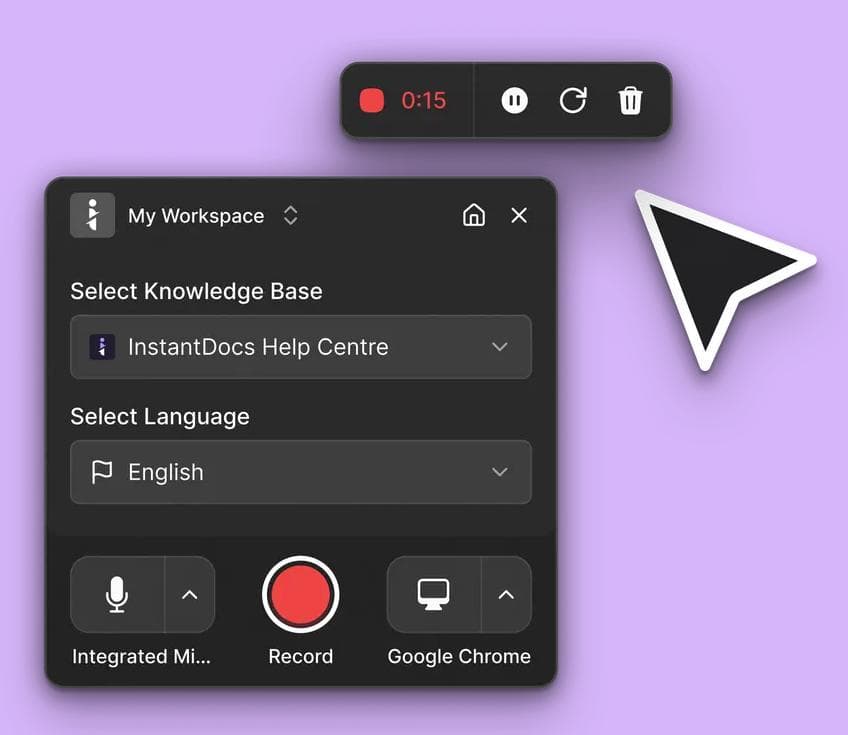
Simply record a walkthrough of a feature in your product.
InstantDocs automatically generates a complete help article with step-by-step instructions, screenshots, and even a polished video with a studio-quality AI voiceover.
2. A Professional Help Center for Your Customers
InstantDocs allows you to build a beautiful, customizable Knowledge Base that matches your brand.
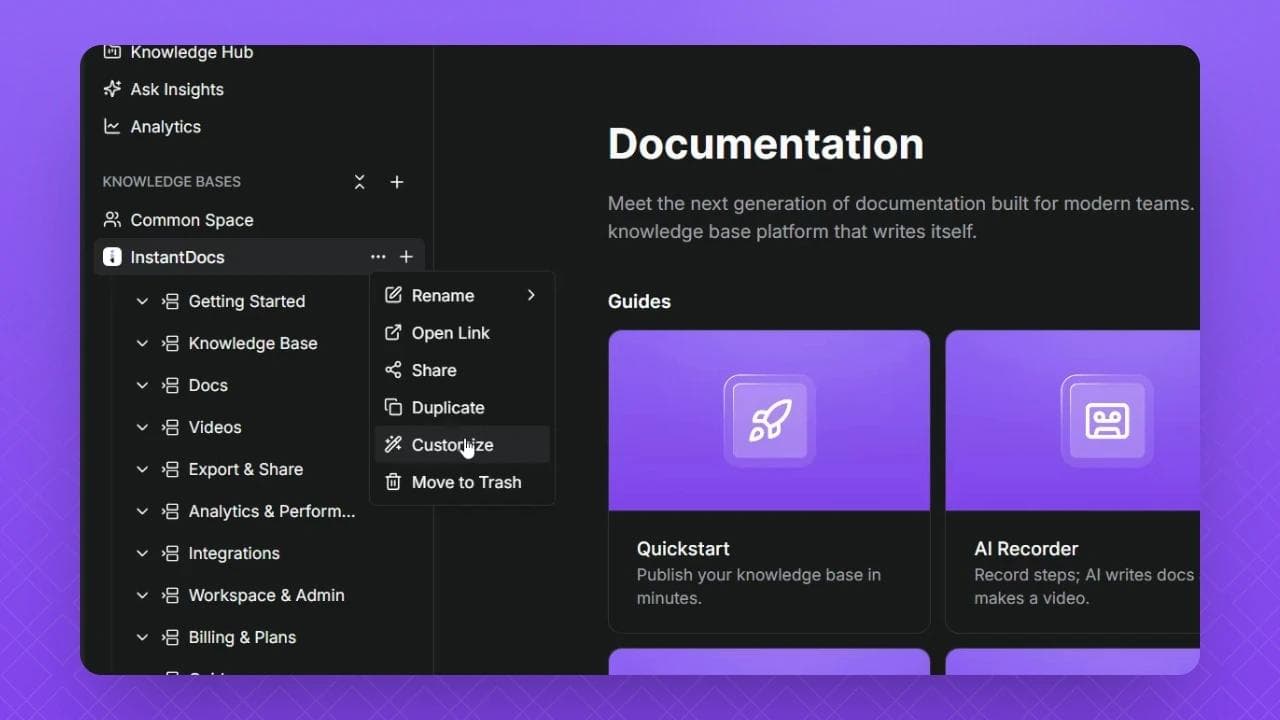
Its intuitive editor makes it easy to organize articles into a professional, searchable help center that gives your customers the confidence they need to find answers fast.
3. Solve Maintenance Proactively with the Knowledge Gap Finder
The most powerful feature for customer-facing documentation is the Knowledge Gap finder.
By integrating with your support tools (like Zendesk or Intercom), it analyzes customer support tickets to automatically identify what documentation is missing or outdated.
When multiple customers ask about a feature that isn't documented, it flags the gap and lets you auto-generate a new article with one click.
This turns your support conversations into a proactive system for improving your help center, directly reducing future ticket volume.
In short, using an AI knowledge base software like InstantDocs transforms customer documentation from a manual chore into an intelligent, automated system.
This frees up your team to focus on higher-value customer interactions.
Ready to see how it works?
Book a free, personalized demo today, and we'll show you how to build a world-class onboarding experience faster than you ever thought possible.
Book your FREE, Personalized demo here!


Instantly build support docs that delight.
Book a demo