The Complete Knowledge Base Guide: How to Build, Manage, and Optimize It
A knowledge base is a centralized digital repository that captures, organizes, and delivers information to enable customer self service and streamline internal knowledge management processes. A company knowledge base serves as an internal repository for storing and sharing critical documents, policies, and procedures, supporting both employee workflows and customer support.
These comprehensive systems have become essential business tools, with 91% of customers preferring to use an online knowledge base when it meets their needs, while organizations see support cost reductions of up to 33% through effective self service options.
Knowledge bases transform how organizations manage information by providing instant access to critical information for both customers and employees, eliminating the inefficiencies of scattered documentation and repetitive support requests.
What This Guide Covers
This guide provides complete knowledge base implementation strategies, from initial planning through ongoing optimization. We cover internal knowledge bases for employee efficiency, external knowledge bases for customer support, and the technology solutions that power effective knowledge management systems.
You’ll also learn content creation best practices, user adoption strategies, and measurement frameworks for continuous improvement. We also emphasize the importance of ensuring your knowledge base stays up to date with regular updates and new information.
Who This Is For
This guide is designed for business leaders, customer support managers, IT professionals, and team leads looking to centralize organizational knowledge. Whether you’re evaluating knowledge base software for the first time or optimizing an existing self service knowledge base, you’ll find actionable strategies for improving both customer experience and employee efficiency.
Why This Matters
Modern businesses generate vast amounts of information daily, yet employees spend up to 1.8 hours searching for essential information they need to do their jobs effectively. Meanwhile, 61% of customers prefer resolving issues independently through self service tools rather than contacting support teams.
Knowledge bases address both challenges by creating searchable repositories that provide accurate and relevant results instantly. Key knowledge base benefits include improved efficiency, faster onboarding, and enhanced knowledge sharing across the organization.
It is also crucial that your knowledge base stays up to date to ensure users always have access to the latest information.
What You’ll Learn:
- Knowledge base fundamentals and core components for effective information management
- Step-by-step implementation process for creating a knowledge base from scratch
- Best practices for content organization, search functionality, and user experience optimization
- Strategies to overcome common adoption challenges and maintain up to date content
Understanding Knowledge Bases and Information Management
A knowledge base is a centralized digital repository designed to capture, organize, and deliver information efficiently for both customer self service and internal knowledge sharing.
Unlike simple document storage systems, knowledge bases feature advanced search functionality, structured content organization, and analytics capabilities that transform raw information into accessible, actionable knowledge.
Additionally, AI chatbots and virtual assistants are often trained on knowledge base content to provide instant, relevant answers to user queries, further enhancing their utility. A knowledge management system centralizes and organizes information, making it easily accessible for both internal staff and customers.
Furthermore, a well-optimized knowledge base can improve a website’s search engine ranking, attracting more visitors and potential customers.
Knowledge bases serve as the foundation of modern knowledge management systems, enabling organizations to preserve company knowledge, reduce information silos, and provide multiple users with easy access to the same information simultaneously.
To maximize these benefits, it is essential to manage knowledge systematically by storing, organizing, and maintaining company information for better decision-making and operational efficiency.
This centralized approach ensures consistent, accurate answers while reducing the burden on support teams and internal team members.
Internal vs External Knowledge Bases
There are two types of knowledge bases:
Internal knowledge bases focus on employee-facing repositories containing company policies, business processes, onboarding materials, and step by step instructions for specific tasks.
These employee knowledge base systems enable an organization's employees to find answers quickly, work at their own pace, and stay on the same page regarding procedures and standards. Sales teams, for example, use internal knowledge bases to quickly access product details and sales strategies, allowing them to respond effectively to potential customers.
Additionally, internal knowledge bases often include project specifics and best practices, ensuring an organization's employees have access to comprehensive resources for their roles.
External knowledge bases serve as customer facing knowledge base platforms featuring FAQs, troubleshooting guides, how to guides, and product documentation.
These self service tools allow customers to resolve issues independently, reducing support costs while improving customer satisfaction through 24/7 availability of essential information.
Each type serves a different audience and is tailored to meet their specific informational needs.
Core Components of Effective Knowledge Bases
Essential elements of comprehensive knowledge base systems include robust search functionality with filtering capabilities, logical content organization through categories and tags, appropriate access controls for sensitive information, and analytics tracking to measure usage patterns and identify content gaps.
These analytics and reporting capabilities allow organizations to evaluate the effectiveness of their knowledge base articles and make data-driven improvements.
Content types span structured knowledge base articles covering procedures and policies, troubleshooting guides for technical issues, how-to guides for product usage, FAQ sections addressing common questions, and community sections enabling knowledge sharing between users through user feedback and collaborative problem-solving.
For technical users or advanced troubleshooting, in-depth information is provided within knowledge base articles and reference documentation. Visual content can enhance understanding and engagement within a knowledge base, making complex information more accessible and easier to comprehend.
These components work together to create seamless user experiences where knowledge base users can quickly locate accurate answers, while knowledge base management teams can track performance and optimize content based on user input and search patterns.
Understanding these foundational concepts sets the stage for exploring the specific business benefits that drive organizations to invest in knowledge base implementation.
Business Benefits and Strategic Value
Implementing knowledge base tools delivers measurable improvements across customer support, internal operations, and organizational efficiency, with companies reporting productivity improvements of 20-25% after establishing effective knowledge management processes.
Many organizations also create knowledge bases to provide comprehensive resources for distributors, suppliers, and customers, enabling easier access to product information and self-service solutions.
1. Customer Support Enhancement
Self-service options through external knowledge bases reduce support ticket volume by 15-60%, easing the workload of the support team and allowing customer support teams to focus on complex issues requiring human expertise rather than answering repetitive questions covered in knowledge base documents.
By enabling customers to self-serve, organizations can significantly decrease the volume of support requests handled by agents, leading to substantial cost savings.
The 24/7 availability of customer-facing knowledge base systems eliminates customer wait times and provides instant access to troubleshooting guides and product information, significantly improving customer experience and satisfaction scores.
Modern knowledge base platforms integrate artificial intelligence to deliver accurate and relevant results, helping customers find answers faster while reducing frustration associated with ineffective self service tools. Integrating customer feedback into the knowledge base ensures more complete and up-to-date information, further enhancing support quality and self-service effectiveness.
2. Internal Efficiency Gains
Employee knowledge base systems accelerate onboarding processes and reduce training costs by up to 50% by providing new hires with comprehensive, searchable resources covering company knowledge, procedures, and role-specific information.
Effective knowledge base creating involves designing and organizing content to guide employees efficiently, ensuring that information is accessible, well-structured, and easy to navigate during onboarding and training.
Teams achieve enhanced productivity through centralized information access, eliminating time spent searching multiple systems or waiting for colleagues to provide critical information needed for specific tasks and business processes.
Knowledge bases improve knowledge retention despite employee turnover by capturing institutional knowledge in searchable, organized formats that persist beyond individual departures, ensuring continuous improvement in organizational capabilities.
3. Cost Reduction and ROI
Lower operational costs result from reduced dependency on support agents for routine inquiries, enabling organizations to handle higher customer volumes without proportional increases in support staff.
The ongoing process of maintaining up-to-date content in knowledge base systems generates long-term cost savings through decreased training expenses and faster time-to-productivity for new employees accessing comprehensive knowledge bases.
Key Points:
- Support cost reductions of 15-60% through effective self-service implementation
- Training cost savings up to 50% via comprehensive onboarding materials
- Productivity improvements of 20-25% across organizations with effective knowledge management
These compelling benefits drive the business case for knowledge base implementation, making the strategic investment in proper planning and execution essential for success.
Building Your Knowledge Base: Step-by-Step Implementation
Creating a knowledge base requires systematic planning and execution to ensure the final knowledge base tool meets user needs while supporting organizational objectives and providing the right foundation for continuous improvement.
Choosing the right knowledge base software is essential for optimizing information management and maximizing both customer and employee satisfaction.
Step-by-Step: Knowledge Base Creation Process
When to use this: Organizations ready to centralize information, improve self service options, and enhance both customer satisfaction and employee efficiency through structured knowledge management.
Cloud storage in knowledge base software further supports these goals by enabling remote access to information from any location, ensuring team members can retrieve critical knowledge anytime.
Accessibility is a fundamental requirement for a knowledge base, ensuring that users can access information whenever and wherever they need it.
- Define purpose, scope, and target audience: Identify whether you’re creating an internal knowledge base for employees, external knowledge base for customers, or hybrid system serving both audiences with appropriate access controls.
- Conduct content audit and gap analysis: Inventory existing documentation, identify frequently asked questions from support teams, and analyze current information sources to understand what content needs creation, updating, or migration.
- Choose appropriate knowledge base software: Evaluate knowledge base platforms based on search functionality requirements, content management capabilities, integration needs, and scalability to support future growth.
- Design information architecture and content organization: Create logical category structures, establish tagging systems for improved discoverability, and plan navigation paths that help users find relevant information efficiently. Consider the needs and expectations of the knowledge base user to ensure the system is user-friendly and meets their requirements.
- Create initial content focusing on high-impact topics: Develop knowledge base articles addressing most frequent customer questions and critical internal procedures, ensuring up to date information and step by step instructions for complex processes. Creating clear and concise articles is essential for effective knowledge base content, as it ensures users can quickly understand and apply the information provided.
- Implement search functionality and analytics: Configure search bar capabilities with filtering options, establish user feedback mechanisms, and implement robust analytics to track usage patterns and identify optimization opportunities. Encourage feedback from users to foster collaboration and continuously improve the knowledge base.
- Launch with user training and maintenance processes: Provide training for both content creators and end users, establish content review cycles to keep information up to date, and create workflows for ongoing knowledge base management.
Comparison: Build vs Buy Knowledge Base Software Solutions
| Feature | Custom Development | Knowledge Base Software |
|---|---|---|
| Initial Cost | High ($50K-200K+) | Low to Moderate ($50-500/month) |
| Time to Implement | 6-18 months | 1-4 weeks |
| Customization | Complete control | Template-based with some flexibility |
| Maintenance | Ongoing development resources required | Vendor-managed updates and security |
| Scalability | Unlimited but expensive | Platform-dependent with upgrade paths |
Most organizations benefit from established knowledge base platforms that provide proven search functionality, content management features, and integration capabilities without the complexity and cost of custom development.
As a self service tool, a knowledge base platform enhances customer self-service options by centralizing accurate information and making it easily accessible. Custom solutions make sense only for organizations with unique requirements that existing knowledge base tools cannot accommodate.
Additionally, knowledge base software should support multiple integrations with other tools to ensure a smoother workflow and seamless user experience.
Successful implementation depends on understanding and proactively addressing common challenges that can derail knowledge base projects.
Knowledge Base Security and Accessibility
If you're building a knowledge base, you've probably wondered how to balance keeping things secure while making sure people can actually use the thing. And let me tell you—getting this right is absolutely fundamental to building trust and delivering the kind of seamless experience your customers actually want.
A secure knowledge base isn't just about ticking boxes; it's about protecting your sensitive company knowledge and customer data through solid measures like encryption, granular access controls, and regular data backups.
These safeguards matter whether you're dealing with internal knowledge bases (which might contain confidential business processes) or external ones that store customer-facing information.
But here's the thing, security means nothing if your users can't actually access what they need. You've got to make your knowledge base easily accessible to authorized users, and that means;
- Designing intuitive navigation
- Implementing powerful search functionality
- Ensuring compatibility across devices so people can get to information whenever they need it
For customer self service to actually work (and let's be honest, we all want it to work), users need to quickly find accurate answers without jumping through hoops—whether they're employees hunting for internal documentation or customers looking for self service support.
When you nail both security and accessibility, you're creating something that doesn't just protect critical information but actually empowers users to resolve issues on their own.
And that's how you end up enhancing customer satisfaction and delivering the overall customer experience that keeps people coming back.
Data Protection and User Accessibility Considerations
When building and managing a knowledge base, balancing data protection with user accessibility is paramount.
Protecting sensitive company knowledge and customer information requires robust security measures such as encryption, multi-factor authentication, and granular access controls. These safeguards help prevent unauthorized access and ensure compliance with data protection regulations and industry standards.
At the same time, user accessibility must not be compromised. A knowledge base should be designed to provide seamless, intuitive navigation and powerful search functionality, enabling authorized users to quickly find accurate and relevant information whenever they need it.
This accessibility is essential for both internal team members relying on the employee knowledge base to perform their tasks efficiently and customers using external knowledge bases for self service and support.
Achieving this balance also involves implementing role-based permissions to restrict sensitive content to authorized personnel while maintaining open access to general information.
Additionally, ensuring compatibility across devices and platforms allows users to access the knowledge base securely from any location, supporting remote work and 24/7 customer support.
Ultimately, prioritizing both data protection and user accessibility creates a trusted knowledge base environment that empowers users, safeguards critical information, and drives improved customer satisfaction and employee efficiency.
Knowledge Base Governance and Compliance
If you're managing any kind of knowledge base, you probably know that a well-governed setup is basically the backbone of everything that works.
Trust me on this—establishing a clear governance framework is what keeps your knowledge base accurate, up-to-date, and actually aligned with what your organization is trying to achieve. This framework should nail down who's doing what when it comes to creating content, reviewing it, and giving the final thumbs up, plus you'll want solid standards for quality control and regular content check-ups.
Here's the thing about regulatory compliance—it's another critical piece that you can't just wing. You need to make sure your knowledge base actually follows data protection laws and whatever industry-specific rules apply to you, because let's be honest, non-compliance headaches and potential penalties are the last thing you want to deal with. This gets especially important if you're in industries handling sensitive stuff—think healthcare or finance where one slip-up can cost you big time.
When you implement strong governance and compliance practices (and I mean really implement them), you end up with a knowledge base that actually supports your team's efficiency, gets people sharing knowledge naturally, and keeps customers happy.
A solid governance structure doesn't just protect the integrity of your knowledge base. It makes sure the thing continues delivering value as that trusted source of information everyone actually wants to use.
Governance Frameworks and Regulatory Compliance
Establishing a robust governance framework is critical to the success and reliability of any knowledge base. Governance defines the roles, responsibilities, and processes involved in creating, reviewing, approving, and updating knowledge base content.
By implementing clear ownership and accountability, organizations ensure that information remains accurate, consistent, and aligned with company policies and objectives.
Regular content audits and scheduled review cycles are essential components of governance that help maintain up to date information, preventing the knowledge base from becoming outdated or misleading. Version control mechanisms track changes over time, providing transparency and enabling rollback if necessary.
Compliance with regulatory standards and industry-specific requirements must be integrated into governance practices. For organizations in sectors such as healthcare, finance, or data privacy, adherence to laws like HIPAA, GDPR, or PCI DSS is mandatory.
The knowledge base should incorporate relevant compliance guidelines and ensure sensitive information is protected through access controls and encryption.
Moreover, governance frameworks support knowledge base management by facilitating continuous improvement through user feedback and analytics. This structured approach not only safeguards critical information but also enhances user trust and customer satisfaction by delivering reliable, accurate, and secure content.
In summary, effective governance and regulatory compliance are foundational pillars that uphold the integrity, security, and usefulness of knowledge bases, enabling organizations to confidently leverage their knowledge assets while meeting legal and operational standards.
Knowledge Base Technology and Infrastructure
If you're building a knowledge base that'll actually last, you've got to think about the tech foundation—and trust me, this stuff matters more than you'd think. Choosing the right platform isn't just about picking something that looks nice (though that helps too).
You need something that's flexible enough to bend with your business, customizable so it doesn't feel like every other cookie-cutter solution out there, and—here's the big one—actually plays nice with the tools you're already using.
We're talking CRM software, AI tools, the whole stack. When everything talks to each other seamlessly, your support team can actually get stuff done instead of copy-pasting between five different apps. And let's be honest, those AI-powered search features? They're not just fancy bells and whistles anymore—they're what make the difference between users finding what they need and giving up in frustration.
Now, here's where a lot of teams mess up: they don't think about what happens when things get big. Your organization's going to grow (hopefully!), your content library's going to explode, and suddenly you've got way more people hitting your knowledge base than you ever expected.
If your platform can't handle that growth without turning into a sluggish mess, you're in trouble. A truly scalable infrastructure means your team members and customers get instant access to up-to-date info whether it's day one or year five—no matter how massive your content gets or how much traffic you're dealing with.
But here's what really separates the good platforms from the great ones: robust analytics that actually tell you something useful. You need tools that show you how people are really using your knowledge base, where the gaps are (because there are always gaps), and what's working versus what's just taking up space.
When you invest in a platform with solid analytics built in, you're not just buying software—you're buying the ability to keep getting better. You can optimize your self-service offerings, keep customers happy, and deliver that exceptional experience everyone's always talking about.
Because at the end of the day, that's what this whole knowledge base thing is really about, right?
Platforms, Integrations, and Scalability
Choosing the right knowledge base platform is a critical step in building an effective knowledge management system. The ideal platform should be flexible, scalable, and capable of integrating seamlessly with your existing technology stack to support both internal and external users.
Platform Features
Look for knowledge base software that offers robust search functionality, user-friendly content management tools, and customizable templates to tailor the experience to your organization's unique needs.
Advanced features such as AI-powered search and automated content suggestions can significantly enhance the user experience by delivering accurate and relevant results quickly.
Integrations
Integration capabilities are essential for creating a streamlined workflow across your organization. A knowledge base platform should support connections with customer relationship management (CRM) systems, help desk software, communication tools, and analytics platforms.
These integrations enable your support team to access relevant information without switching between multiple applications, improving response times and accuracy.
Scalability
As your organization grows, your knowledge base must scale accordingly. Choose a platform that can handle increasing volumes of content, users, and traffic without compromising performance.
Cloud-based solutions often provide the flexibility and scalability needed for expanding businesses, allowing users to access up-to-date information anytime, anywhere.
Security and Access Control
A scalable knowledge base platform should also offer robust security features, including role-based access controls, encryption, and compliance with industry standards.
This ensures that sensitive company knowledge and customer information remain protected while authorized users maintain easy access to the information they need.
Analytics and Continuous Improvement
Modern knowledge base platforms include analytics tools that track user behavior, search queries, and content performance.
These insights help knowledge base managers identify gaps, optimize content, and measure the impact on customer satisfaction and employee efficiency.
Leveraging these analytics supports continuous improvement and ensures your knowledge base remains a valuable resource.
By carefully selecting a knowledge base platform that combines powerful features, seamless integrations, scalability, and security, organizations can build a comprehensive knowledge management system that grows with their needs and drives long-term success.
Common Challenges and Solutions
Organizations frequently encounter predictable obstacles during knowledge base implementation and ongoing management, but proven strategies exist to overcome these challenges and ensure long-term success.
Challenge 1: Low User Adoption and Engagement
Solution: Focus on user experience design with intuitive navigation, mobile optimization, and clear search functionality that delivers accurate answers quickly and encourages continued use.
Implementation tactics include conducting user testing during development, creating prominent search bar placement, optimizing for mobile devices, and gathering user feedback regularly to identify and resolve usability issues that prevent adoption.
Challenge 2: Outdated and Inaccurate Content
Solution: Establish content governance processes with assigned ownership, regular review cycles, and automated notifications to ensure knowledge base articles remain current and accurate. Version history in knowledge base software tracks updates to content, allowing users to access different document versions and maintain a clear record of changes over time.
Best practices include implementing version control systems, creating content lifecycle management workflows, assigning subject matter experts to maintain specific knowledge base documents, and using analytics to identify outdated content requiring updates.
Challenge 3: Poor Content Discoverability
Solution: Implement robust search functionality with AI-powered capabilities, logical categorization systems, and SEO optimization to help users find relevant information quickly through multiple discovery paths.
Technical approaches include comprehensive tagging systems for improved filtering, machine readable knowledge bases that support advanced search algorithms, content recommendations based on user behavior, and integration with artificial intelligence for enhanced search results accuracy.
Addressing these challenges proactively sets the foundation for long-term knowledge base success and continuous improvement.
Introducing InstantDocs: Your Ultimate Knowledge Base Software Solution
InstantDocs is a powerful knowledge base software designed to streamline your organization's information management and enhance both customer self service and internal knowledge sharing.
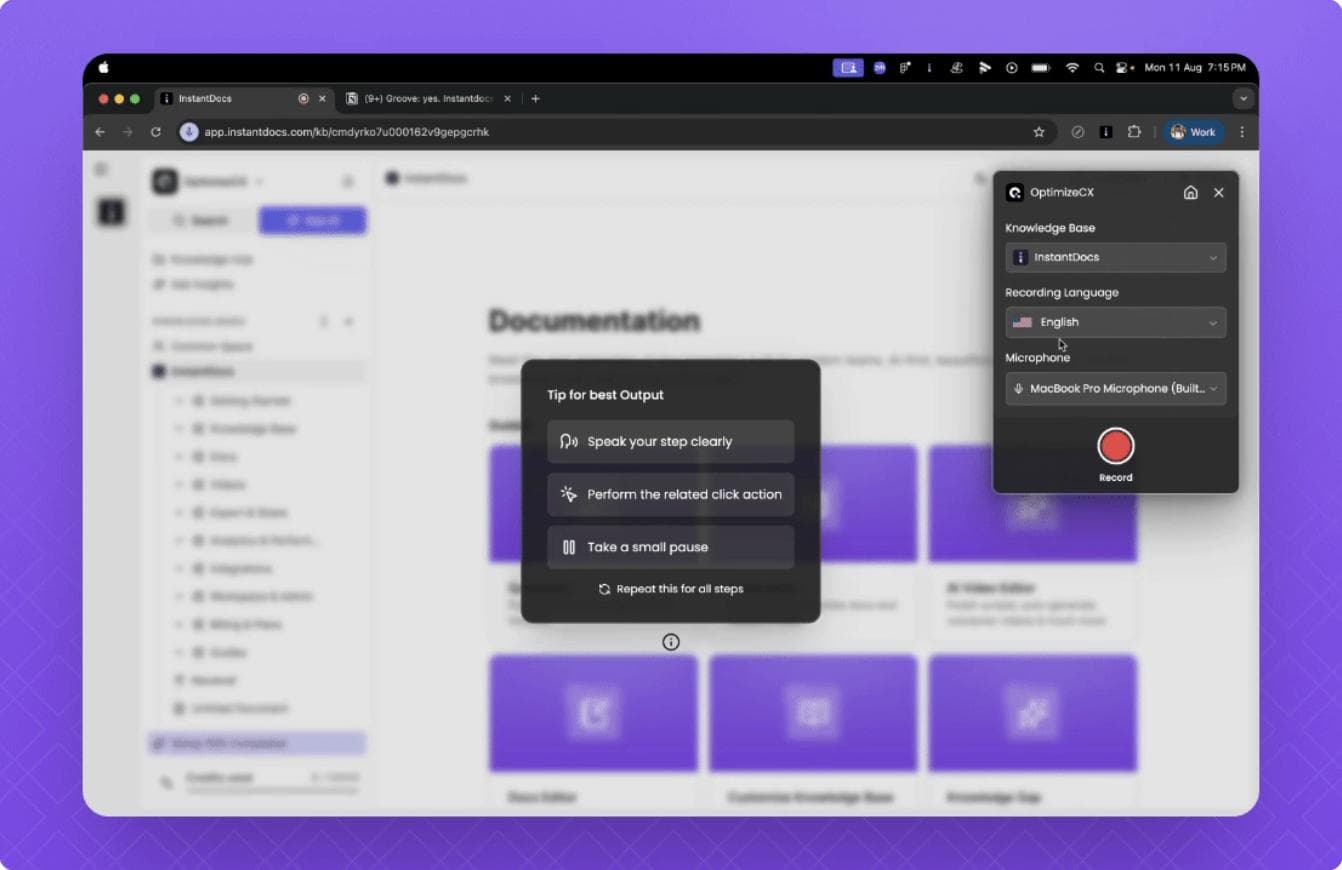
With InstantDocs, you gain access to robust search functionality, intuitive content organization, and seamless integration capabilities that empower your support teams and employees alike.
Built with scalability and user experience in mind, InstantDocs supports multiple users with role-based access controls, ensuring your critical company knowledge remains secure yet easily accessible.
Its AI-powered search and analytics tools enable continuous improvement by providing accurate and relevant results while tracking user engagement and feedback.
Whether you're creating an internal knowledge base for employee efficiency or an external knowledge base to improve customer satisfaction, InstantDocs offers the flexibility and features needed to build a comprehensive, up-to-date, and effective knowledge management system.


Instantly build support docs that delight.
Book a demo